

Getting Started
How Escape Kit Works
See how digital waivers, automatic grouping, and post-game debrief pages work together to streamline your escape room operations
Escape Kit replaces the clipboard-and-spreadsheet routine with a connected workflow. Customers sign a digital waiver, get grouped automatically by room and time, and after their game your team uploads photos and completes the group — triggering personalized emails, a debrief page with review prompts, and optional social posting. One button press, and the post-game experience handles itself.
The workflow
Customers receive a waiver link through your booking integration, a QR code flyer at check-in, or a link on your website. They select their room, date, and time and sign digitally — before they even arrive.
Escape Kit matches each waiver submission to a group by room, date, and time. If a matching group exists, the player joins it. If not, Escape Kit creates one. No manual sorting required.
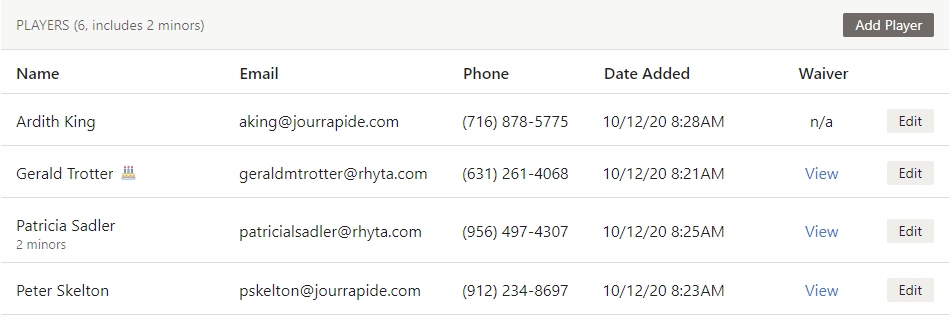
Customers play their escape room. Your game master can start noting results and assigning themselves to the group from the dashboard while the game is in progress.



After the game, drag and drop team photos onto the group page — photo overlays are applied automatically. Record the outcome: did they escape, how long it took, and how many clues they used.

Click one button. Escape Kit sends personalized emails and texts to each player with a link to their debrief page. The right template — success, fail, or no-photo — is selected automatically. If Facebook is connected, team photos post to your page too.
Each player gets a unique link to a personalized debrief page where they view and share photos, see their results, and leave a review on Google, TripAdvisor, or Yelp — right when the excitement is fresh.
Pro Tip: Connect your booking platform so customers receive the waiver link in their booking confirmation. Most will arrive with their waiver already signed — speeding up check-in and giving you a full group roster before game time.
What this unlocks
Day-to-day
For a typical game, the daily workflow takes a few minutes per group:
- Customers arrive with waivers already signed (via booking integration or QR code)
- Game master checks the group page to confirm players and waiver status
- After the game, game master uploads photos and records results
- Game master completes the group — emails, texts, and Facebook posts go out automatically
- Players open their debrief page, share photos, and leave reviews
The setup happens once. The daily operation is just steps 3 and 4.
Related pages
- Getting Started — Account setup walkthrough
- Building Your Waiver Form — Configure your waiver fields and settings
- Waiver Delivery Methods — How waivers reach your customers
- Completing a Game — Detailed completion requirements
- The Debrief Page — What players see post-game