

Getting Started
Escape Kit Features Overview
Digital waivers, branded photos, automated post-game emails, review collection, and insights — built specifically for escape rooms
Escape Kit connects every step of the escape room experience — from the moment a customer books to the review they leave after the game. Waivers feed player data into groups, groups trigger personalized emails, and those emails drive reviews, social shares, and repeat bookings.
Behind the Scenes: A completed waiver does more than collect a signature. Escape Kit uses the room, date, and time on the waiver to place players into the right group automatically, so your team starts with the right roster before guests arrive.
Waivers & check-in
Branded digital waivers that work before customers arrive. Customers receive a waiver link through their booking confirmation, a QR code at your front desk, or your website. They pick their room, date, and time — and sign from any device. By the time they walk in, you already have their info and they're sorted into the right group.


- Custom fields for any data you need — dropdowns, checkboxes, text
- Multi-language support for international guests
- Minor support so parents sign once for the whole family
- Branded post-submission page with directions or upsells
Photos & branding
Every team photo branded with your logo — automatically. Upload team photos to any group page and your room-specific overlays are applied instantly. When you complete the group, photos go to every player via email and text. Connect Facebook and team photos post to your page too.
- Design unique overlays per room with your logo and artwork
- Overlays apply automatically on upload — no Photoshop
- Customize email and text templates per room and outcome
- Photos post to your Facebook page when connected



Post-game experience
Turn every completed game into reviews, social shares, and repeat bookings. When a game master completes a group, selected players receive a personalized debrief page with their team photos, game results, and review prompts for Google, TripAdvisor, or Yelp — right when the excitement is fresh.
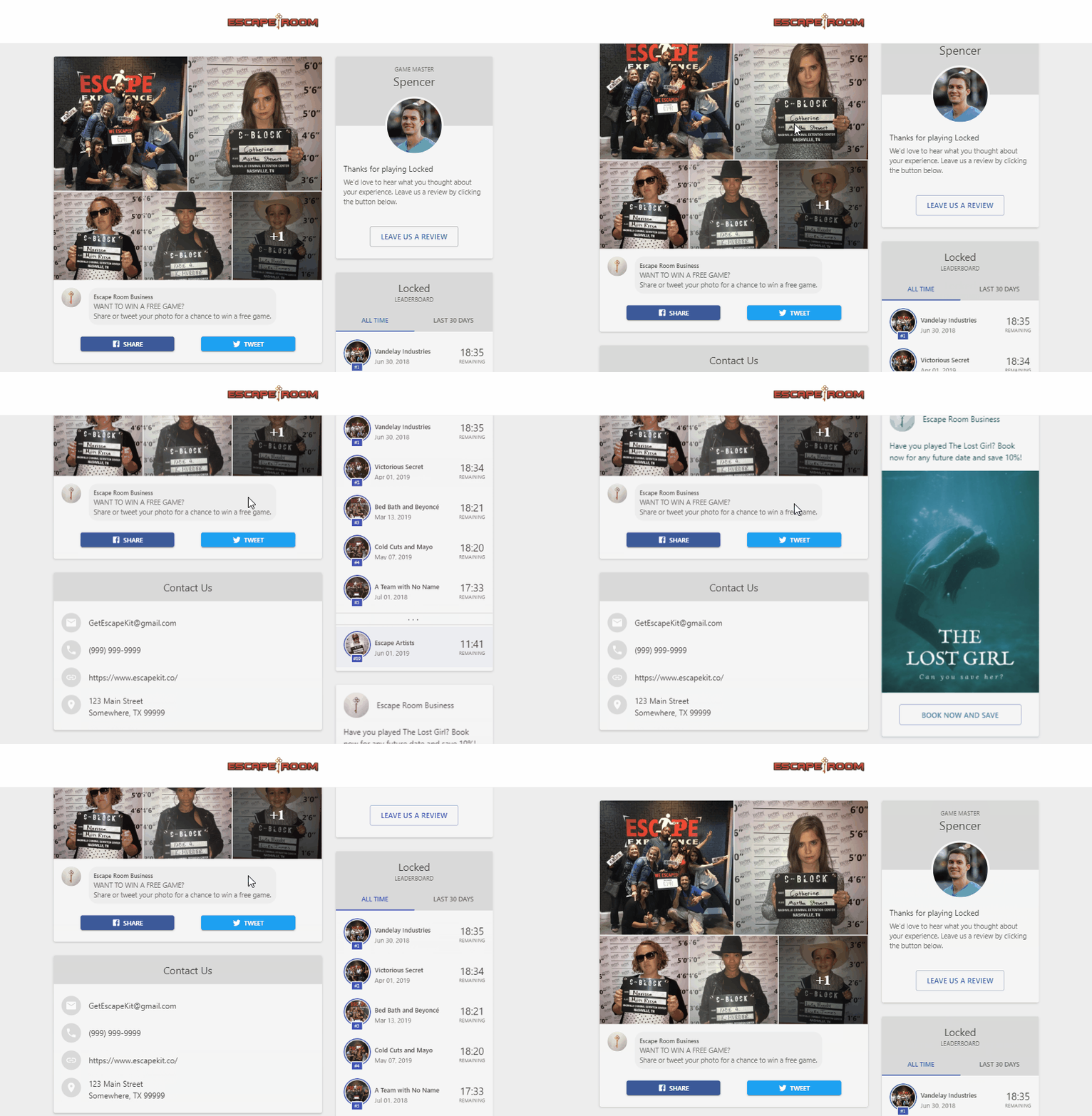
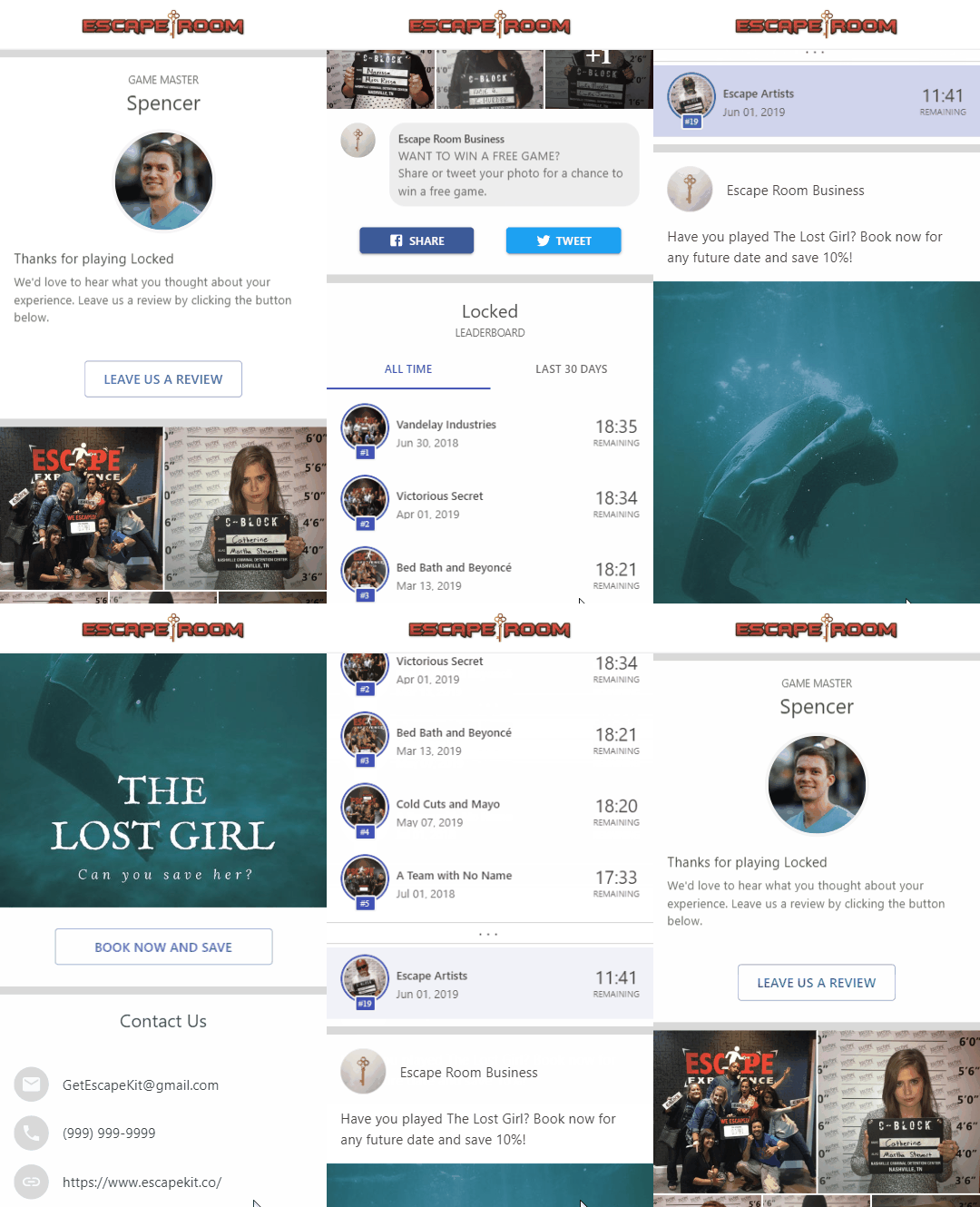
- Drag-and-drop debrief builder to customize the layout
- Leaderboards ranked by escape time, points, clues, or custom metrics
- Social sharing buttons and copyable links for post-game sharing
- Public leaderboard you can embed on your website
Player & group management
Automatic grouping — every waiver lands in the right place. Escape Kit matches each waiver submission to a group by room, date, and time. No spreadsheets, no manual sorting. After the game, your team has everything in one view: player info, waivers, photos, and results.
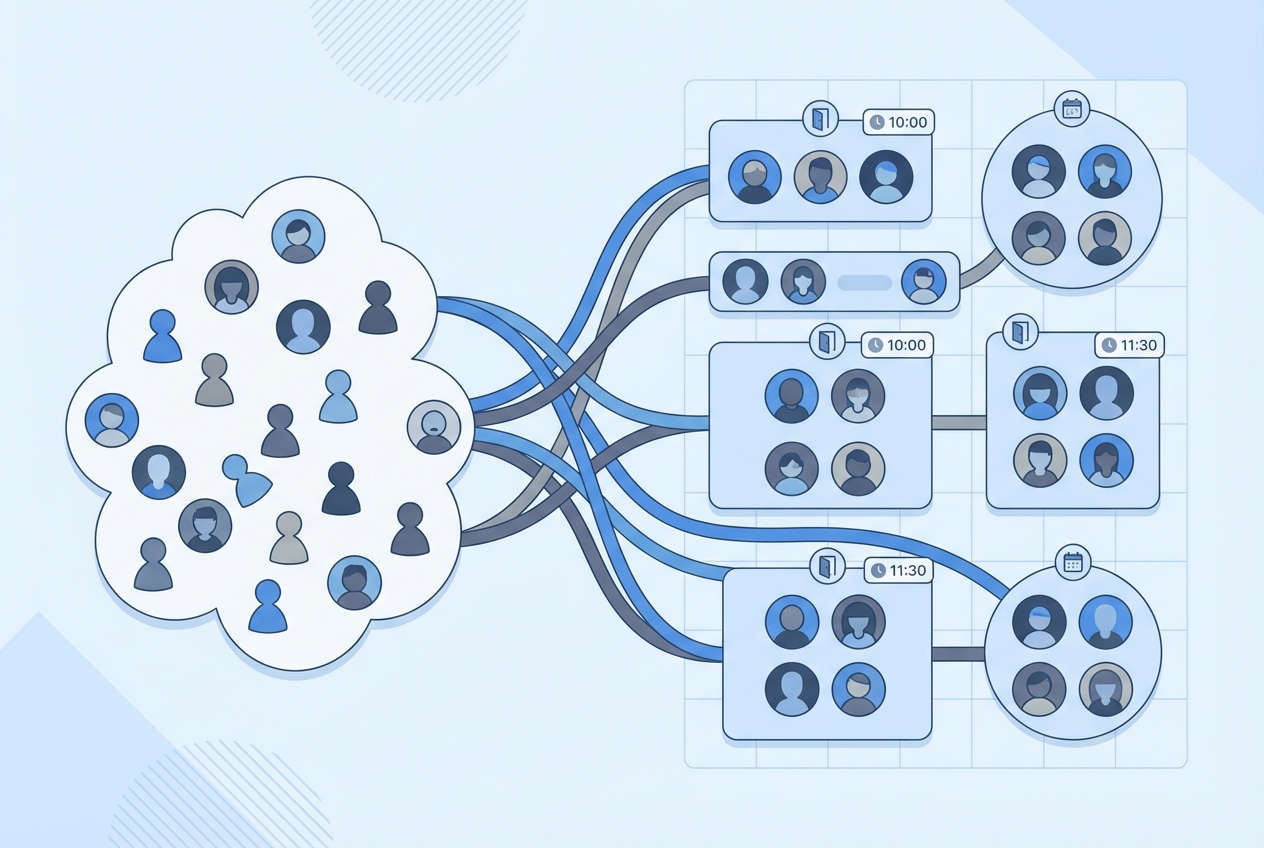
- Groups form automatically from waiver submissions
- Create groups manually for walk-ins or special events
- Move players between groups, merge duplicates on the fly
- Full player database with visit history and contact info
- Export filtered data as CSV for marketing campaigns
Insights & analytics
See how your business is performing with dashboards that track player volume, game master activity, and customer trends. Filter by room and date range to spot patterns and make smarter decisions.
Integrations
Connect Escape Kit to the tools you already use. Booking integrations send waivers automatically with every reservation. Marketing integrations sync player data to your email platform. Facebook posts team photos to your page after every game.